


When you’re building layouts with AI tools and Vibe Coding, the theme should support your workflow, not slow it down. The ideal setup is fast, minimal, and gives you full control over every section you build.
After testing different setups, three themes stand out for clean markup, stable spacing, and the ability to disable everything you don’t need.
They all deliver predictable structure and stay light enough for custom hero sections, landing pages, and component-based pages.
Why are these themes different?
Simply, they give you the control to edit your pages the way you want. When using AI-generated code, you need to remove some WordPress stuff like page title, header, footer (sometimes), choose a full-width template, and more.
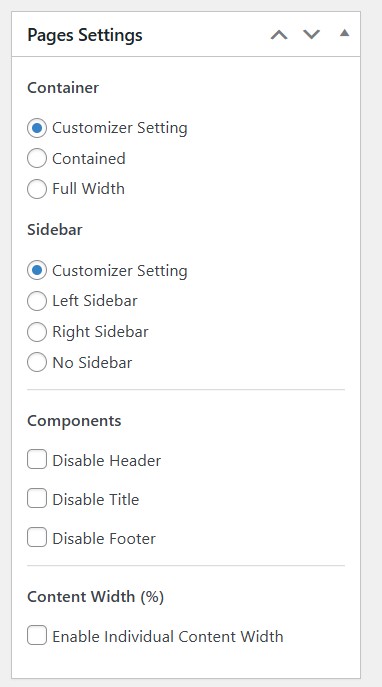
You also have full control over the Customizer settings (Appearance> Customize), where you can easily add, remove or change almost anything.
1. Astra – Lightweight and Flexible
Astra is fast by default and easy to adjust on a page-by-page basis. It comes with its own template library from which you can choose hundreds of easy-to-import demo starter sites.
Why it works well:
- Very small footprint on the frontend
- Per-page switches for title, header, footer, sidebar
- Clean HTML that accepts custom CSS without surprises
- Global layout controls for consistent spacing
Cons:
- Widely used and recognizable
Good when you want a simple base that won’t fight your custom code.
2. GeneratePress – Stable and Developer-Friendly
GeneratePress is all about control and clean structure.
What makes it reliable:
- Predictable spacing and minimal styling
- Fast, stable, and easy to maintain
- Page-level disabling of all major theme elements
- Perfect for dropping in HTML/CSS components
Great if you want absolute consistency across every layout.
Cons: Some features are available only with the Pro theme.
3. Neve – Modern and Minimal
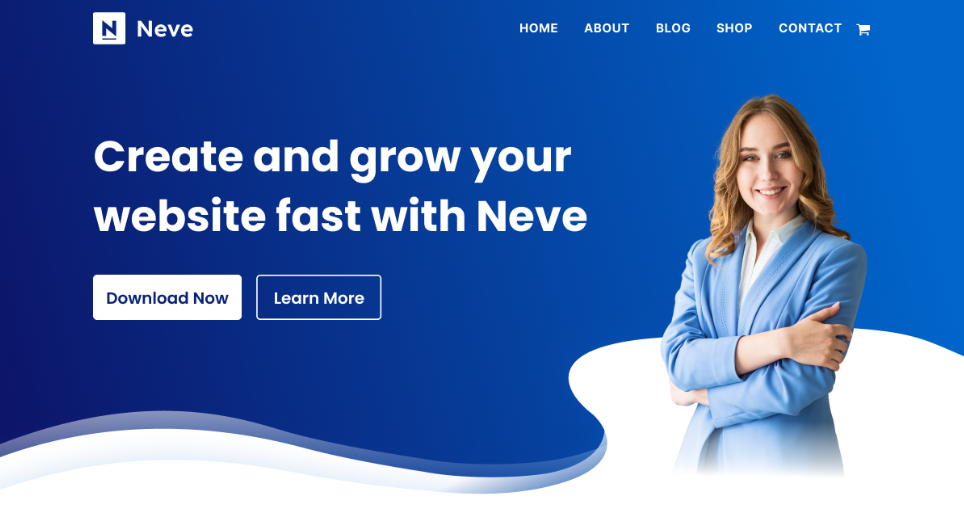
Neve keeps things modern without adding weight you don’t need.
Why it fits Vibe Coding workflows:
- Lightweight and fast like Astra
- Easy header/title/footer disabling
- Smooth spacing that works well with AI-generated sections
- Solid with classic or block editing
Ideal for landing pages and modern marketing layouts generated with AI.
Cons: Some basic features are hard to find or cut completely.
Recommended Plugins for Vibe coding
These plugins help keep your editing environment predictable and clean when working with AI-generated layouts.
1. Classic Editor
The Classic Editor gives you a raw editing space without block interference.
Why it helps:
- No automatic restructuring of your HTML
- Simple place to paste custom sections
- Great for component-based work
- Keeps everything consistent
Best option when you want full markup control.
2. Custom CSS & JS
You don’t want to add endless lines of inline CSS and JS. This plugin will make your pages easier, cleaner, and better when you add custom snippets for all of your code.
Why it matters:
- Add styles and scripts without touching theme files
- Safe across theme updates
- Useful for animations, utilities, and layout tweaks
- Keeps your custom code organized
Perfect for testing AI-generated styling and global effects.
Final Setup Recommendation
For a clean, fast, AI-ready WordPress environment:
- Astra for balanced flexibility
- GeneratePress for maximum precision
- Neve for a modern, minimal starting point
Pair the theme with:
- Classic Editor for clean code input
- Custom CSS & JS for quick styling and scripts
This setup gives you full control and keeps everything lightweight, predictable, and ready for Vibe Coding workflows.
Then, only your imagination is the limit.
Disclosure: Some of the links on the page may contain a ref code (affiliate links), that tells the other side that we have sent you. If you liked what we suggest and you make a purchase, we may receive a commission.
