


You’ve finally done it. You set up a professional email address for your website – something like info@yourdomain.com instead of that old Gmail address. Looks great, right?
You send out your first few emails, maybe to a client, a potential lead, or even just a friend to test it out. And then… nothing. Or worse, you get a reply saying your email landed straight in their spam folder. Ugh. What gives?
This is a super common problem, and trust me, I’ve been there. It’s frustrating when you’re trying to look professional, but your emails are getting treated like junk mail. It makes your business look less credible, and you miss out on important communications.
The good news? It’s usually not your fault, and it’s surprisingly easy to fix. The issue often comes down to two things: SPF and DKIM records. These are like digital security guards for your emails, telling other email servers that you’re the real deal and not some spammer trying to impersonate you.
In this guide, I’ll walk you through exactly what SPF and DKIM are, why they’re important, and how to set them up in cPanel step-by-step. Even if you’ve never touched DNS records before, I’ll make it easy to understand. Let’s get your emails delivering straight to the inbox!
Why Your Domain Emails End Up in Spam (or Never Arrive)
So, why are your perfectly legitimate emails getting lost in the digital abyss or ending up in the dreaded spam folder? It all comes down to trust, or rather, the lack of it, from other email providers like Gmail, Outlook, Yahoo, and so on.
Think about it from their perspective. Every day, billions of spam emails are sent. These emails often try to trick recipients by pretending to be from a legitimate source – like your domain. To combat this, email providers have gotten super strict. They’ve implemented advanced systems to verify the authenticity of every incoming email.
When you send an email from your domain (e.g., using a mailbox set up through your web hosting), the receiving server performs a series of checks. Without proper authentication, your email server looks suspicious. It’s like sending a physical letter without a return address, or with a return address that doesn’t seem legitimate. The post office (or in this case, the receiving email server) is going to be wary and might just toss it in the bin.
Here’s what typically happens:
- No Sender Verification: The receiving server can’t confirm that your email server is actually authorized to send emails on behalf of your domain.
- Potential Spoofing: It might assume someone is trying to “spoof” your domain, meaning they’re faking your email address to send malicious or unwanted content.
- Low Reputation: Your domain might develop a low sending reputation, especially if you’re a new sender or if your emails frequently get flagged.
The consequences? Lost leads, missed customer support requests, and a general erosion of trust in your brand. You don’t want that, and neither do I. That’s why SPF and DKIM are so crucial.
What is SPF? (And Why It Matters)
Let’s start with SPF, which stands for Sender Policy Framework. Don’t let the fancy name scare you; it’s actually quite simple.
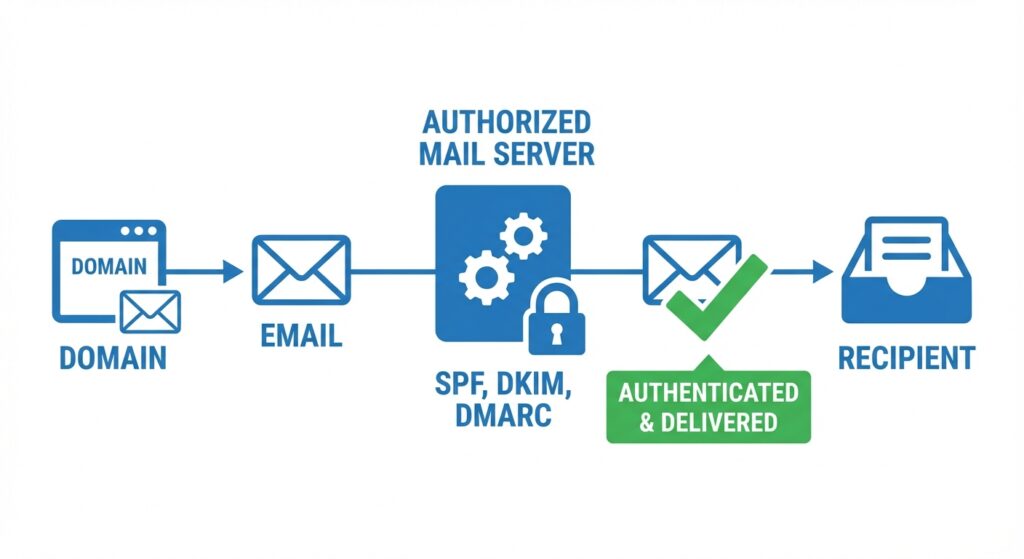
Imagine your domain, say yourdomain.com, has a special guest list. This guest list contains all the names (or rather, the IP addresses and hostnames) of servers that are allowed to send emails on behalf of yourdomain.com.
When you send an email, the receiving email server (like Gmail) essentially asks your domain, “Hey, is the server that just sent this email from yourdomain.com actually on your approved sender list?”
Your SPF record, which is a special type of text record (TXT record) in your domain’s DNS settings, provides that answer. It lists all the authorized sending sources. If the sending server’s IP address is on that list, great! The email passes the SPF check. If it’s not, the email is flagged as suspicious, and it’s much more likely to go to spam or be rejected outright.
SPF Configuration Warning
Your domain must have only ONE SPF record in DNS.
📌 Common mistakes that break SPF:
- ❌ Multiple SPF records
- ❌ Incorrect or missing IP address
- ❌ Missing
includefor external services (e.g., Google)
Example: v=spf1 ip4:95.200.75.100 include:_spf.google.com ~all
Why SPF Matters:
- Prevents Spoofing: It stops spammers from forging emails that appear to come from your domain. This protects your brand reputation.
- Improves Deliverability: When your emails pass the SPF check, receiving servers trust them more, significantly increasing the chances they land in the inbox.
- Builds Trust: It shows email providers that you care about email security and are taking steps to verify your messages.
Think of SPF as the bouncer at the VIP club entrance. He checks every server’s ID against the guest list. If you’re not on the list, you’re not getting in.
What is DKIM? (The Digital Signature Your Emails Need)
Next up is DKIM, or DomainKeys Identified Mail. If SPF is the bouncer checking the guest list, DKIM is like a tamper-proof wax seal on your email.
Here’s how it works: When you send an email, your email server adds a unique digital signature to the email header. This signature is generated using a “private key” that only your server has. At the same time, a corresponding “public key” is published as a TXT record in your domain’s DNS.
When the receiving email server gets your email, it sees this digital signature. It then looks up your domain’s DKIM public key in your DNS records. Using this public key, it tries to decrypt and verify the signature on the email. If the signature matches, two things are confirmed:
- The email genuinely came from your domain (or an authorized sender).
- The email hasn’t been altered or tampered with during its journey from your server to the recipient’s inbox.
If the signature doesn’t match, or if it’s missing, the receiving server flags the email as potentially fraudulent or compromised.
Why DKIM Matters:
- Ensures Integrity: It guarantees that the email content hasn’t been changed since it left your server.
- Authenticates Sender: It further proves that the email is genuinely from your domain, adding another layer of trust beyond SPF.
- Better Deliverability: Just like SPF, passing DKIM checks dramatically improves your email’s chances of reaching the inbox.
So, SPF checks *who* is sending, and DKIM checks that the message itself is authentic and hasn’t been messed with. Together, they create a powerful shield for your email communications.
cPanel “Email Deliverability” – what it is and how it fixes issues
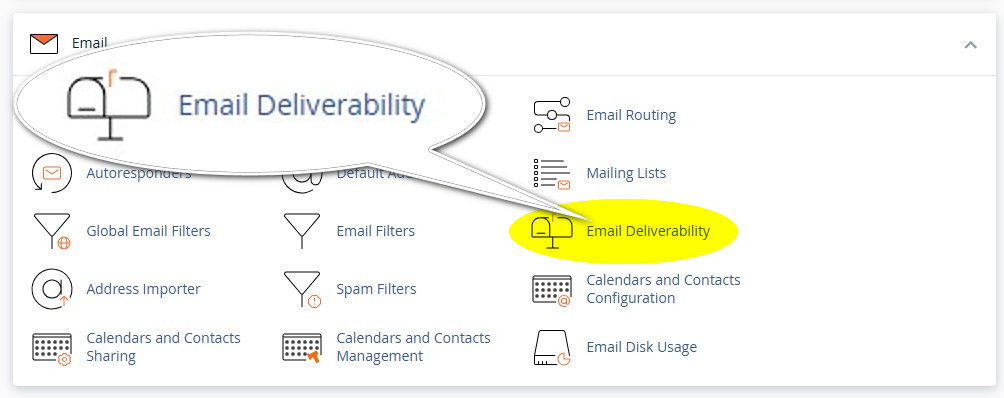
Email Deliverability in cPanel is a tool that checks and helps fix your domain’s email authentication setup.
The tool automatically verifies:
- SPF (who is allowed to send emails)
- DKIM (email signature authenticity)
- DMARC (policy and reporting)
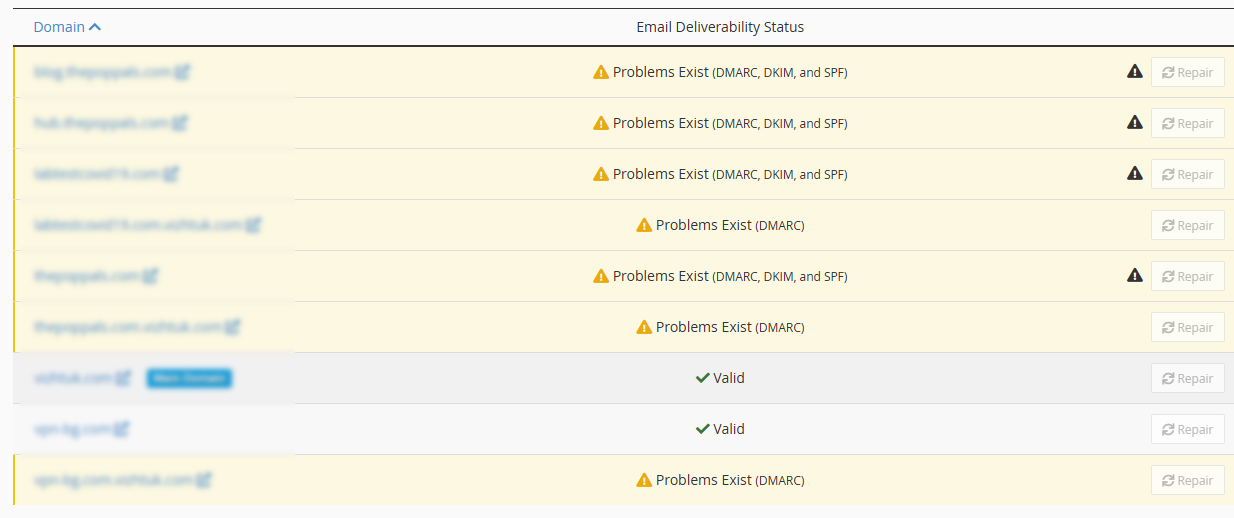
It then shows a status for each domain:
- ✅ Valid → everything is configured correctly
- ⚠️ Problems Exist → something is missing or misconfigured
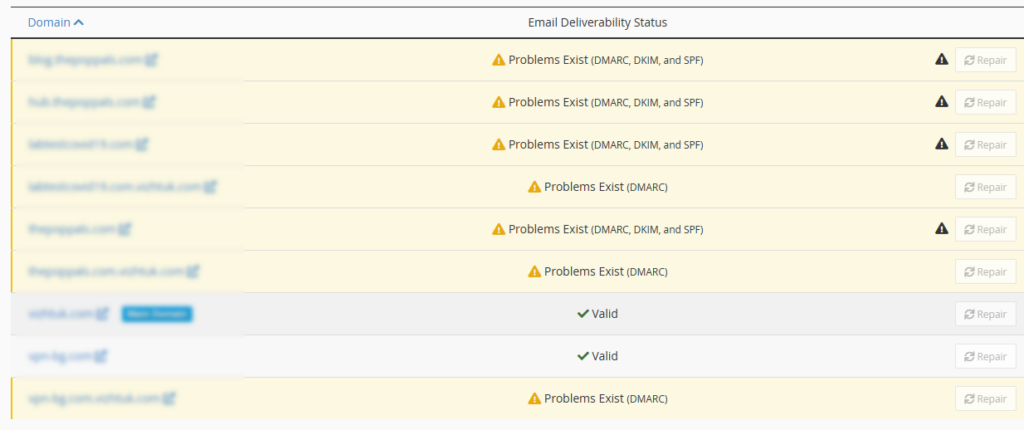
How the “Repair” button works
When you click Repair, cPanel:
- Generates the correct DNS records
- Either:
- adds them automatically (if your DNS is on the same server), or
- shows you exactly what to copy into your DNS
- Fixes:
- SPF (authorizes your server IP)
- DKIM (adds a cryptographic signature)
This can quickly fix your email deliverability issues. Enjoy!
Disclosure: Some of the links on the page may contain a ref code (affiliate links), that tells the other side that we have sent you. If you liked what we suggest and you make a purchase, we may receive a commission.
