



I first wrote this comparison back in 2018, when Rank Math was the new kid and everyone was on Yoast. Eight years later the question is completely different. It is no longer “which plugin scores my keyword better”. It is “which plugin gets my content in front of people who now ask ChatGPT instead of Google”.
So I installed both plugins fresh on a clean WordPress in August 2026, clicked through every screen, and wrote down what actually changed. Rank Math 1.0.275 and Yoast SEO 28.1, both free versions, no licenses.
The short version: Rank Math gives you far more in the free version and one price for unlimited personal sites. Yoast bundles its AI into the license instead of metering it, and it is the safer pick for client work and shops.
SEE RANK MATH PRO PRICING
Where the two plugins stand in 2026
Let’s get the numbers out of the way first, because they tell you a lot about who you are buying from.
| Rank Math | Yoast SEO | |
|---|---|---|
| Version tested | 1.0.275 (July 2026) | 28.1 (July 2026) |
| Active installs | 4 million+ | 10 million+ |
| Rating on WordPress.org | 4.8 from ~7,500 reviews | 4.8 from ~27,800 reviews |
| Free version | Very generous, module based | Solid basics, fewer extras |
| Cheapest paid plan | €95.88 first year, unlimited personal sites | $118.80 per year, one site |
| AI billing model | Separate metered subscription | Bundled in the license |
Yoast is still more than twice as big. But look at the reviews and the release notes and you see two products that finally moved in the same direction this year: both of them are now selling you visibility inside AI answers, not just rankings.
How the two plugins look in 2026
This is the part most comparisons skip, and it is the part you live with every day. Here is what you actually see.
Rank Math asks for an account before it asks anything else
Activate Rank Math and the very first screen is not a settings page. It is this:
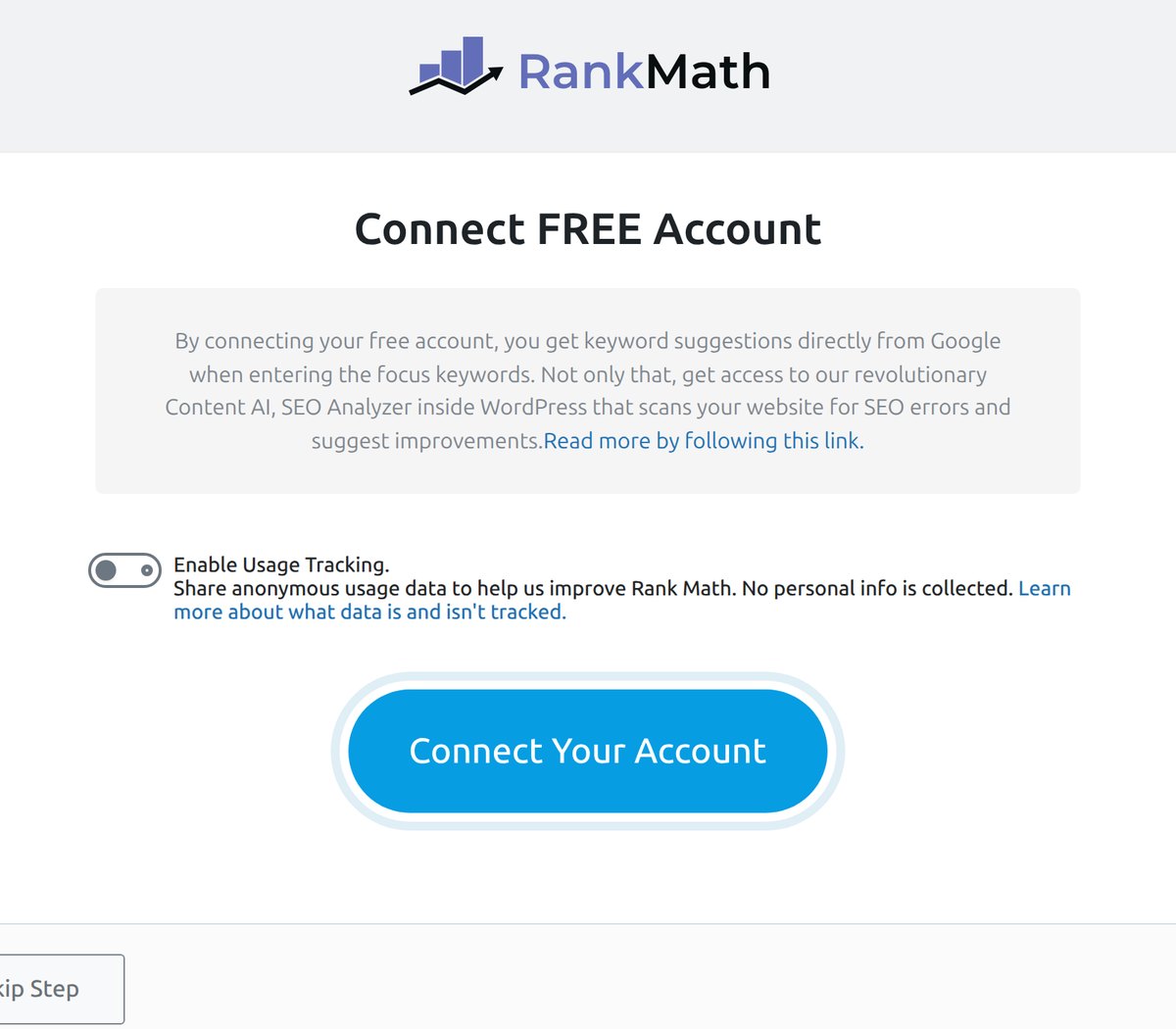
You can skip it, and the plugin works fine without it. But keyword suggestions, Content AI and the SEO Analyzer all stay locked until you connect a free RankMath.com account. Worth knowing before you install it on a client site.
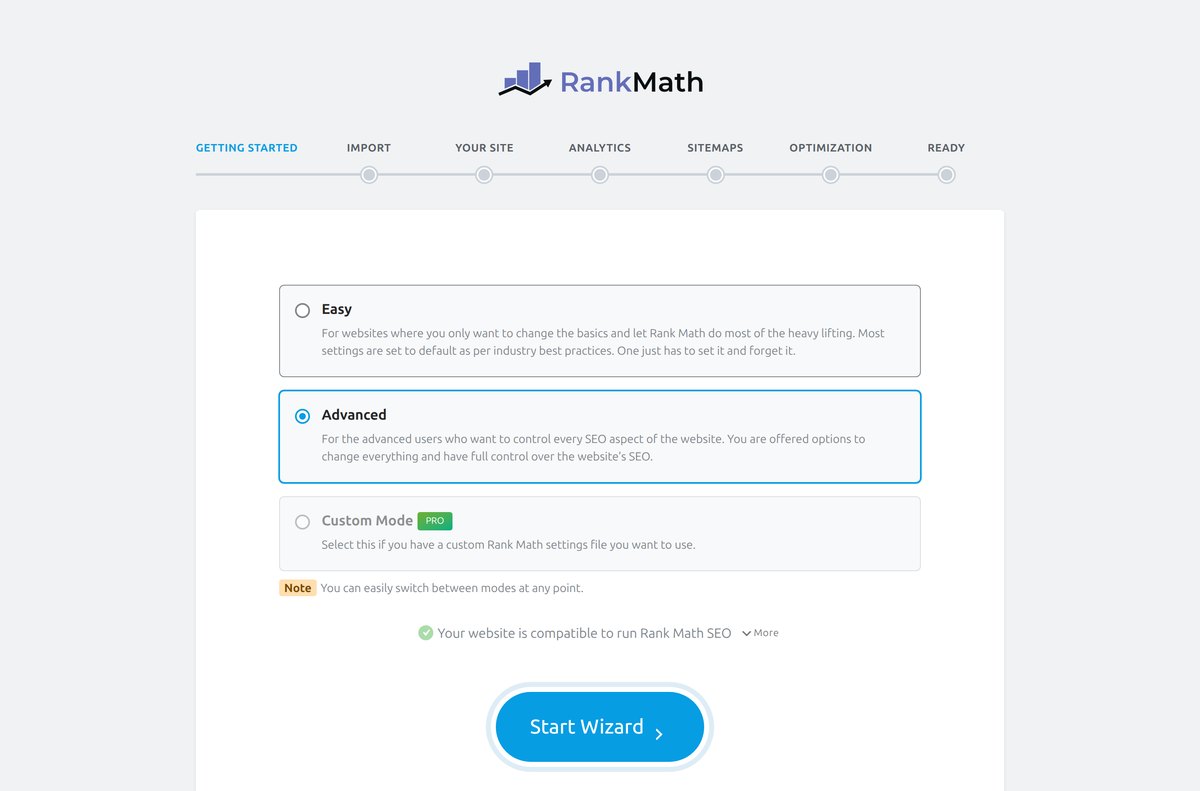
After that you get the setup wizard, which is still one of the best in the WordPress plugin world. Seven steps, and an Easy mode that sets sensible defaults if you do not want to touch anything.
The dashboard is where Rank Math shows its personality. Everything is a module you switch on or off, and the new stuff is right at the top: AI Visibility with a “New” badge, Content AI, AI Link Genius.
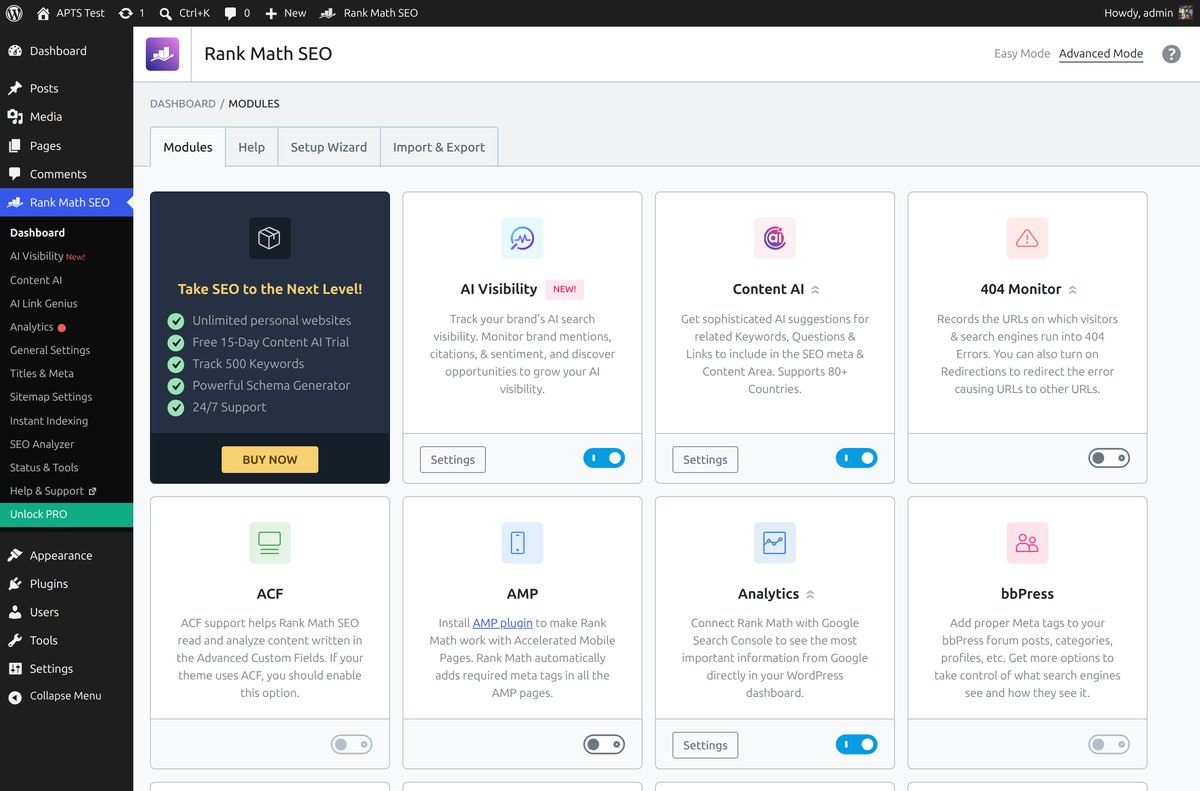
I like this design. If you do not run a shop, turn off the WooCommerce module. If you do not care about AMP, off it goes. Nothing loads that you did not ask for.
Inside the editor you now get two scores in the toolbar instead of one. A classic SEO score out of 100, and a Content AI score next to it.
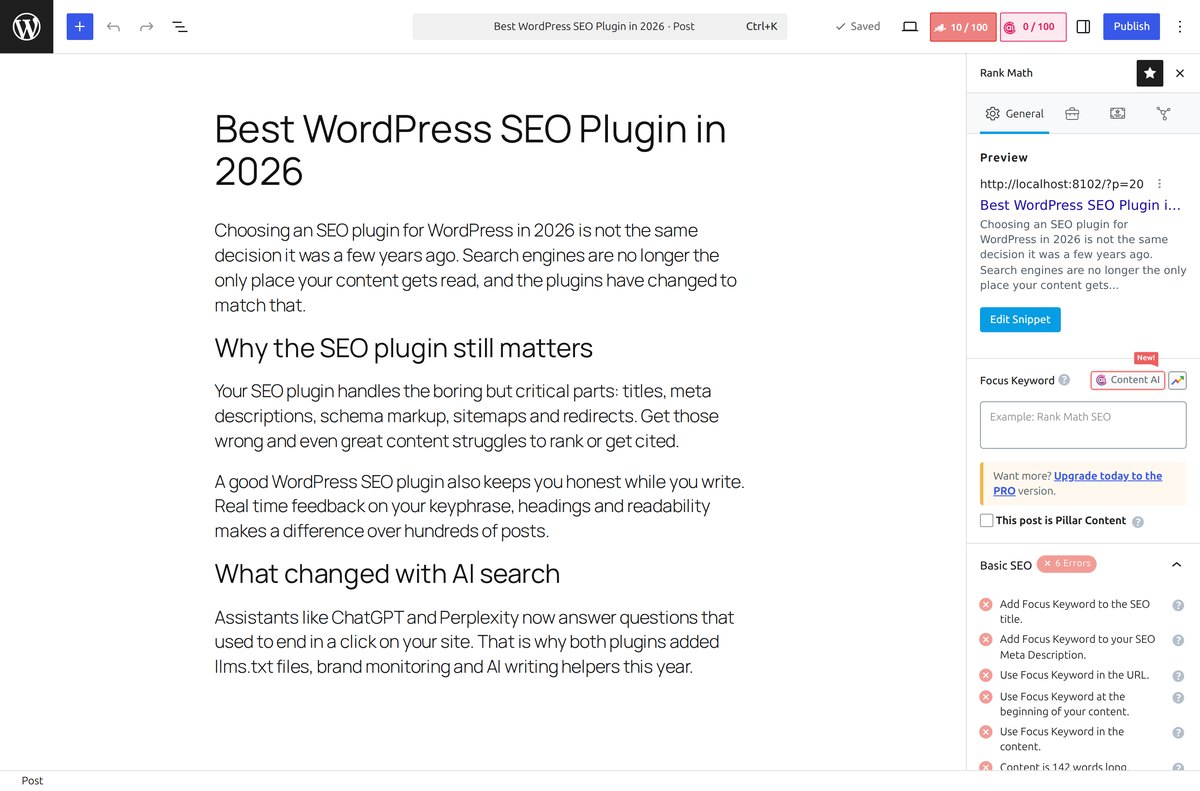
The checklist below still beats Yoast on detail. It tells you exactly what is missing and gives you a number you can chase. Some people hate chasing a number. I find it useful on days when I do not feel like thinking.
Yoast rebuilt its dashboard and kept the traffic lights
Yoast finally has a real dashboard. Not a settings page pretending to be one, but an actual overview with a task list, an alert center and SEO scores across your content.
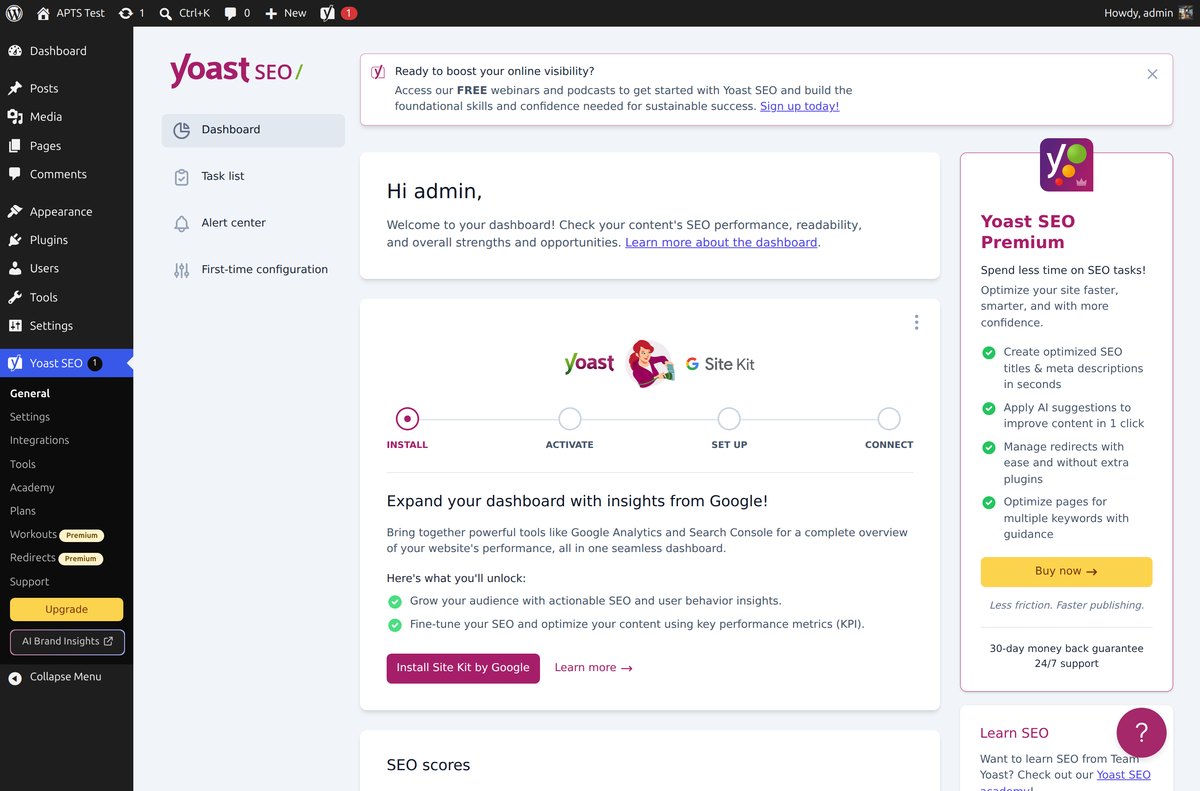
Be ready for the selling. That Premium panel on the right is permanent, Workouts and Redirects sit in the menu with Premium tags, and on my clean install a popup asking me to try AI Brand Insights showed up before I clicked anything. Rank Math nudges you too, but Yoast does it louder in 2026.
In the editor, Yoast still looks like Yoast, and honestly that is a feature. Focus keyphrase, SEO analysis, readability analysis, the same green and red faces you have been reading for a decade.
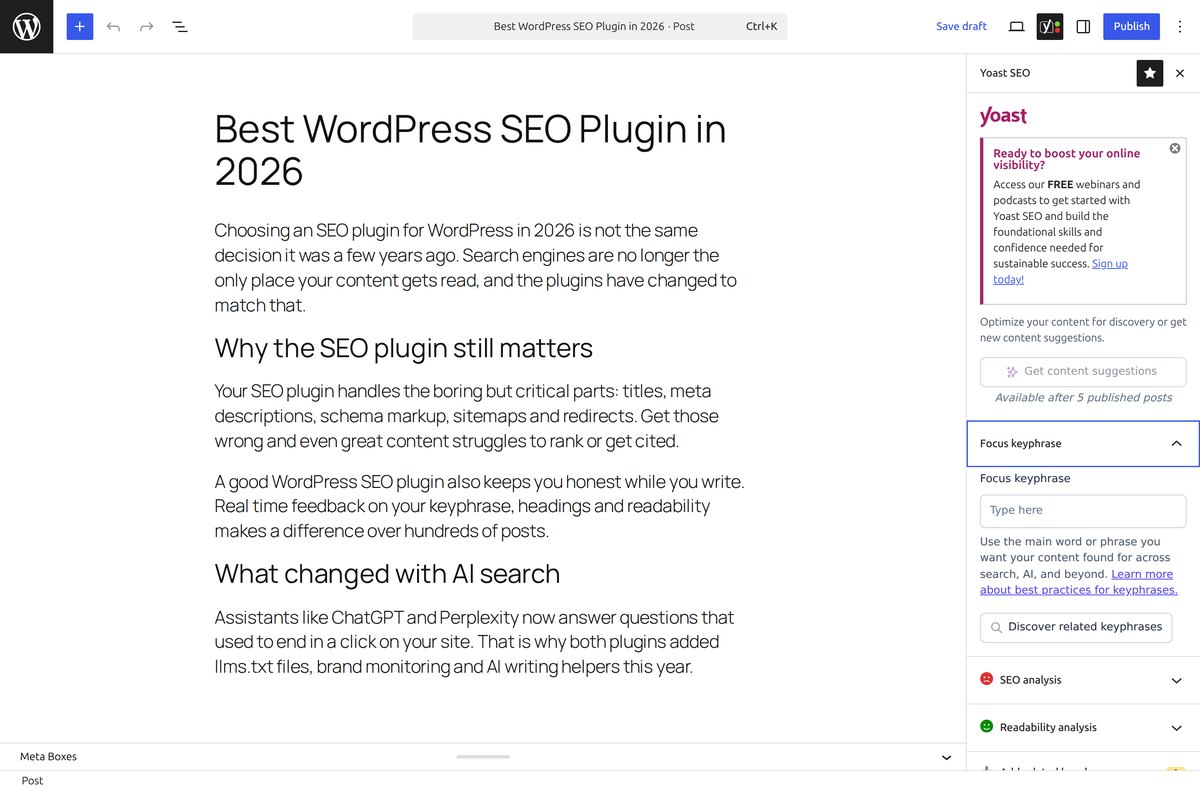
One new thing I did not expect in the free version: a “Get content suggestions” button, greyed out with the note “Available after 5 published posts”. So Yoast is starting to put AI suggestions in front of free users too, it just wants some content on the site first.
If you hand sites to clients who write their own posts, the Yoast sidebar is still the easier thing to explain. Green is good, red is not. Rank Math’s checklist assumes the person reading it wants to know why.
AI features: what each one actually gives you
Both plugins now have an AI story. They are very different stories, and the difference is mostly about how you get billed.
Rank Math Content AI
Content AI has grown from the keyword helper I described in the old version of this article into a library of more than 40 tools. Blog post wizard, introductions, conclusions, SEO titles, meta descriptions, paragraph rewriter, plus a chat assistant called RankBot and an AI content editor.
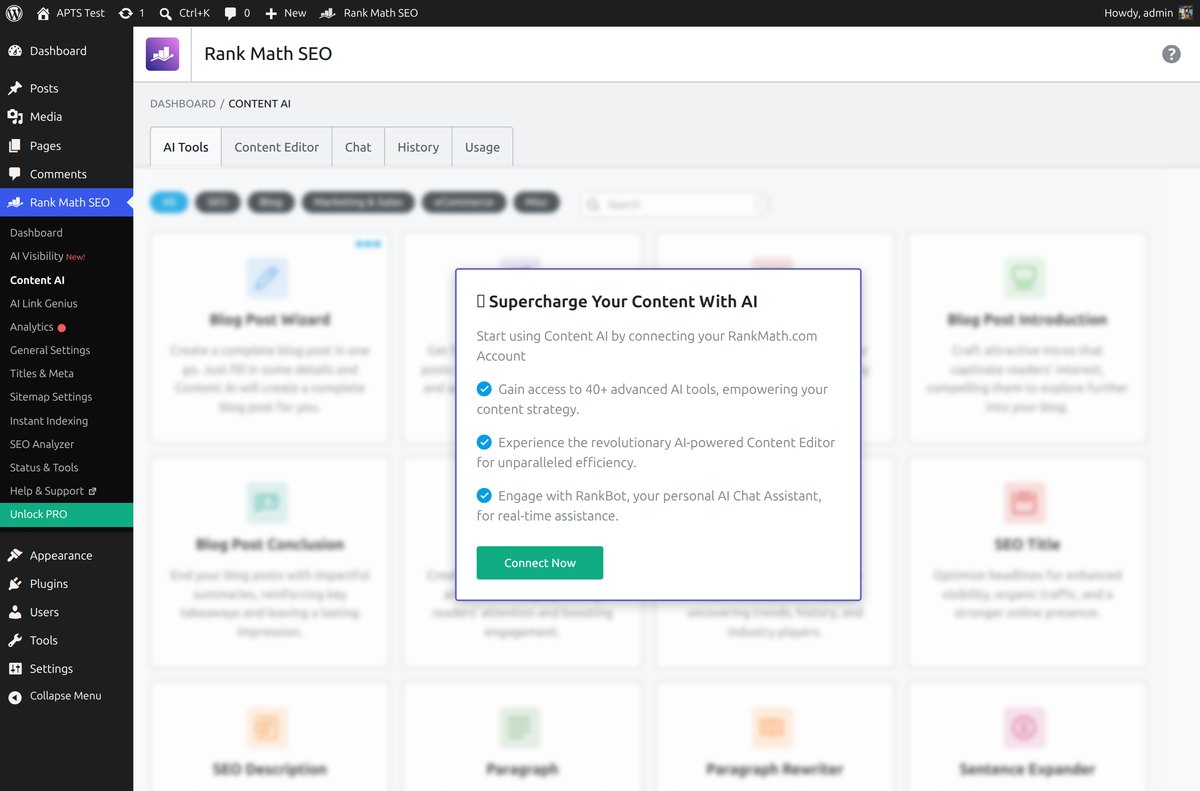
The big change this year is how it is metered. Content AI used to run on credits that burned faster the more words you generated. Since Rank Math 1.0.269 it runs on feature based monthly limits instead. Each time you use a tool, that is one use, no matter how long the output is.
Roughly how the limits fall:
- Free: one to five uses per feature, per month
- Starter: around 10 keyword research runs, 100 link suggestions, 100 uses of most writing tools
- Creator: 30 keyword research runs, 500 link suggestions, 500 uses of most writing tools
- Expert: 100+ on most tools and unlimited on several of them
Nothing rolls over to the next month. This is better than credits for most people, because you can finally predict what a post costs you. It is still a second subscription on top of your Rank Math license, and that is the part people forget when they compare the headline prices.
Rank Math AI Visibility and AI Link Genius
AI Visibility launched on 1 July 2026 and it is the headline feature of the year. It tracks how often your brand gets mentioned in AI answers, what the sentiment is, which sources get cited, and how you rank against competitors. You can read the full transcripts and export the data.
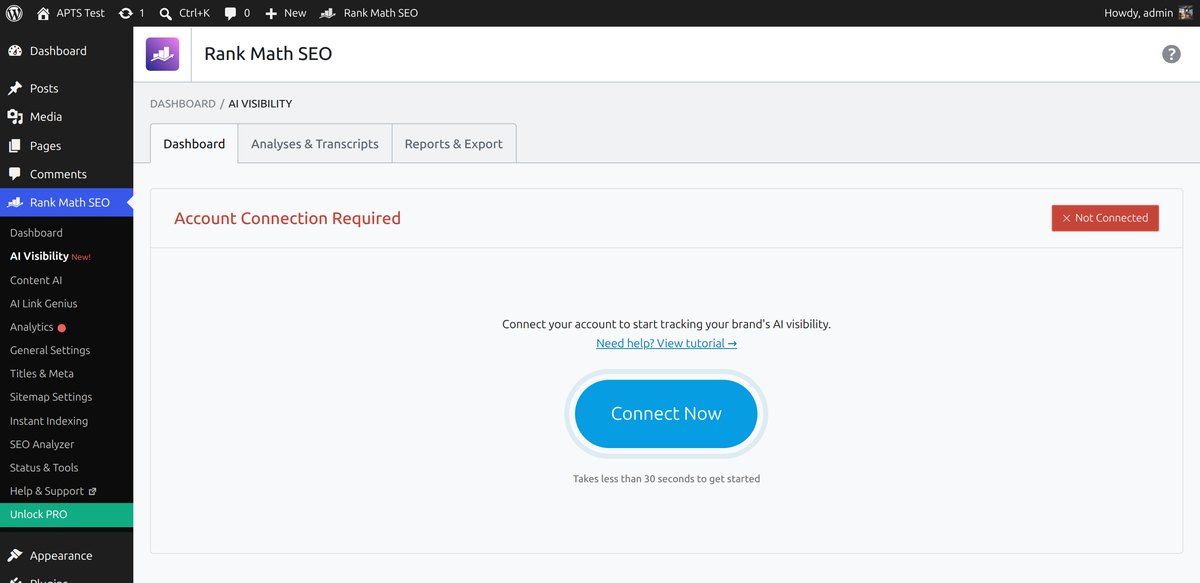
Two honest caveats. At launch it only watches ChatGPT, with other platforms promised later. And it needs a Content AI plan, so there is no free tier at all. One brand on Starter, 10 on Creator, 50 on Expert.
AI Link Genius is the quieter feature I would actually use more. It suggests internal links automatically, finds broken ones, and lets you update links in bulk. If you have a few hundred posts and a messy internal linking structure, this saves real hours. Related reading if that is your situation: how to handle 404 errors and redirects in WordPress.
Yoast AI Generate, Optimize and Summarize
Yoast went narrower and, in my opinion, more sensible. Its AI does three jobs and does them where you already work:
- AI Generate writes SEO titles and meta descriptions, one page at a time or in bulk across the site
- AI Optimize applies keyphrase fixes to your text in one click instead of telling you to do it yourself
- AI Summarize turns a long post into a short summary
- The Content Planner suggests five topics from what you already published and starts drafts for you
All of it is Premium, and here is the important bit: it is included in the license. No credits, no monthly uses, no second subscription. Bulk generating meta descriptions for 400 old posts costs you nothing extra beyond the yearly price. On Rank Math, that same job eats your monthly allowance.
Yoast AI Brand Insights
This is Yoast’s answer to AI Visibility and it is a separate product tier called Yoast SEO AI+, at $358.80 per year for one brand. It watches ChatGPT, Gemini, Claude and Perplexity, runs a weekly analysis, tracks sentiment, citation sources and competitor position, and lets you add your own brand questions.
It also runs in the browser without WordPress, which matters if you are reporting to a client who does not care what CMS the site uses.
So: Yoast covers four AI platforms and costs a lot. Rank Math covers one and costs €5.99 a month on the entry plan. Neither is a bad deal, they are just aimed at different wallets.
What you get for free
For most readers of this site, this section is the whole article. Here is the honest side by side after installing both free versions.
| In the free version | Rank Math | Yoast SEO |
|---|---|---|
| Focus keyphrases per post | 5 | 1 |
| SEO and readability analysis | Yes, score out of 100 | Yes, traffic lights |
| XML sitemaps | Yes | Yes |
| Schema markup | Yes, generator with many types | Yes, basic types |
| Redirect manager | Yes, 301/302/307/410/451 and regex | No, Premium only |
| 404 monitor | Yes | No |
| Internal link suggestions | Limited, AI Link Genius is metered | No, Premium only |
| Local SEO | Yes | No, separate plugin with Premium |
| WooCommerce SEO | Yes | No, separate purchase |
| Google Analytics and Search Console inside WP | Yes, data refreshed every 3 days, kept 90 days | Through Google Site Kit |
| llms.txt generator | Yes | Yes |
| Built in AI writing tools | Yes, 1 to 5 uses per feature monthly | No, Premium |
Rank Math free wins this table and it is not close. Redirects and a 404 monitor alone replace a plugin most people install separately, and five focus keyphrases instead of one matters more than it sounds when you write long articles that rank for a cluster of terms.
What Yoast free gives you instead is fewer decisions. There are no modules to enable, no account to connect, and the analysis is the same one millions of people have been trained on.
Prices in plain numbers
Both companies price in a slightly confusing way, so here is what you really pay, as of August 2026.
Rank Math
- PRO: €95.88 first year, then €107.88 on renewal. Unlimited personal sites, 500 tracked keywords.
- Business: €299.88, renews at €335.88. Up to 100 client sites, 10,000 keywords.
- Agency: €659.88, renews at €779.88. Up to 500 client sites, 50,000 keywords.
- Content AI: separate, from €5.99 per month on Starter up to €16.99 on Expert, billed annually.
Yoast SEO
- Premium: $118.80 per year excluding VAT, for one domain. Includes Local SEO, News SEO, Video SEO, the Google Docs add-on, Yoast SEO Academy and 24/7 support.
- WooCommerce bundle: around $178.80 per year.
- Yoast SEO AI+: $358.80 per year, adds AI Brand Insights for one brand.
Now do the maths on your own situation, because that single word “domain” decides everything. If you run five sites, Yoast Premium is roughly $594 a year and Rank Math PRO is still one payment of around €96. If you run one site and generate a lot of metadata with AI, Yoast suddenly looks cheap, because Rank Math would need PRO plus a Content AI plan on top.
That is the real 2026 pricing story. Not “which is cheaper”, but “do you pay per site or per use”.
llms.txt and getting into AI answers
Good news here: both plugins ship an llms.txt generator in the free version. That file is a short markdown map of your most important content, written for AI assistants that read your site.
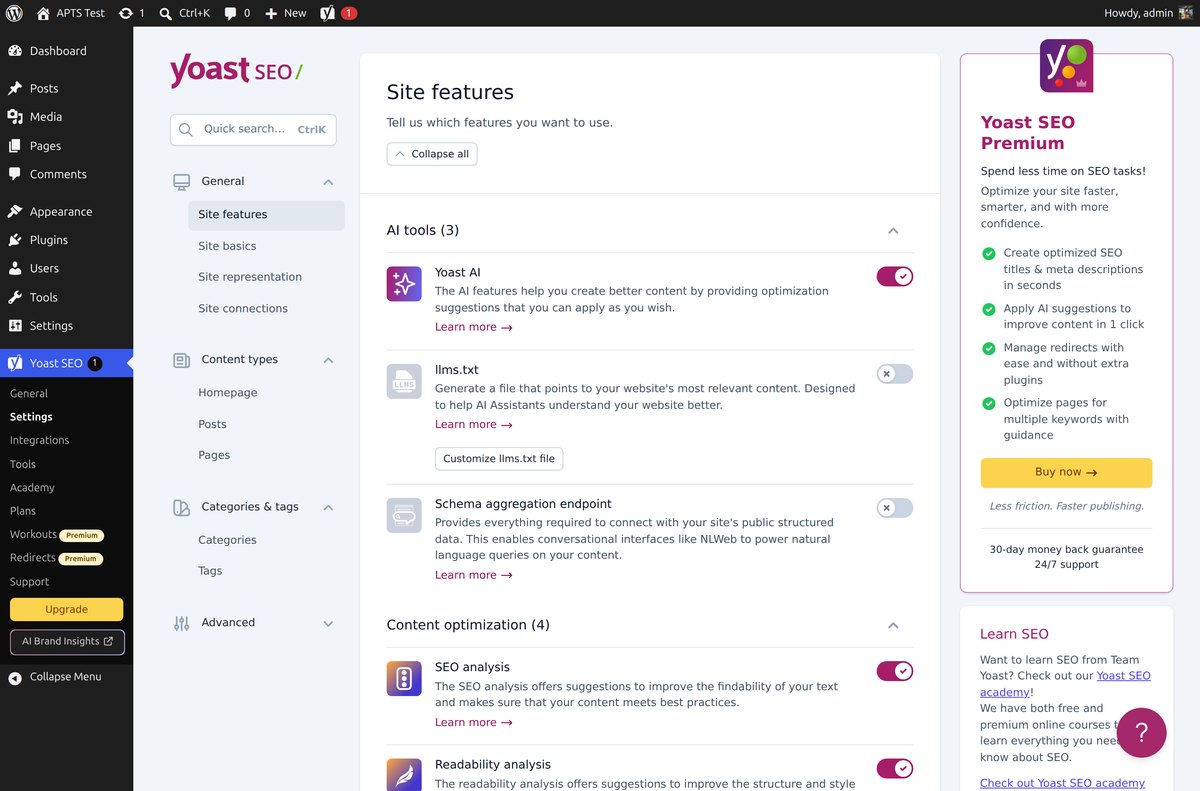
In Yoast it lives under Settings, Site features, next to a “Customize llms.txt file” button. Note the third toggle in that group, the schema aggregation endpoint. It exposes your structured data so conversational interfaces can query your content in natural language. Nobody is talking about it yet and it might end up mattering more than llms.txt.
Rank Math has its own llms.txt module plus an AI search traffic tracker, competitor analysis and search intent analysis. More knobs, same idea.
My take after enabling both: turn it on, spend ten minutes choosing which pages go in the file, then go back to writing. llms.txt is cheap insurance, not a growth strategy. What still moves the needle is content that deserves to be cited, which is exactly what I wrote about in 5 signs an SEO article was written by an AI tool.
Switching from one to the other
Still painless, and it goes both ways now. Rank Math’s setup wizard has an import step that pulls your Yoast titles, descriptions, canonical URLs, robots settings and redirects. Yoast has an importer in its Tools screen for the other direction.
Two rules I follow every single time, learned the hard way:
- Take a full backup before the import. Not a “probably fine” one, an actual restorable backup.
- Run only one SEO plugin at a time. Two active plugins means duplicate meta tags and two sitemaps, and Google will happily use the wrong one.
After the switch, check your redirects. If you were using a separate redirect plugin, decide who owns that job now, because with Rank Math the plugin can do it and you can drop the extra plugin. My old guide on 301 wildcard redirects still applies.
So which one should you pick?
I am not going to declare a single winner, because after testing both I do not believe there is one. Find yourself in the list below.
Pick Rank Math if…
- You run several of your own sites. One PRO license covers all of them.
- You want the most for free. Redirects, 404 monitor, schema, local SEO and five keyphrases without paying anything is still unmatched.
- You like control. Modules, an advanced mode, robots settings per post, all of it exposed.
- You are on affiliate or niche sites where you publish steadily and want AI help occasionally, not constantly.
Check the current Rank Math PRO pricing here.
Pick Yoast if…
- You build for clients who write their own content. The traffic lights need no training.
- You want AI included in the price with no metering, especially for bulk metadata work.
- You need brand monitoring across ChatGPT, Gemini, Claude and Perplexity rather than ChatGPT alone.
- You run a single serious site, a shop or a news site, and you want the safest, most documented option with 24/7 support.
Honestly, stay where you are if…
Your current plugin is set up, your titles are fine and your sitemaps work. Switching SEO plugins is not a ranking strategy. In 2018 I switched because Rank Math was genuinely better than what Yoast offered. In 2026 the gap is much smaller, and your time is better spent on the content itself.
The bottom line
Rank Math is still the better deal, especially if you own more than one site, and its free version remains the most generous in the category. Yoast is the calmer, more predictable product, and its “AI included, no meters” approach is the right call for anyone who publishes at volume or bills a client for the work.
Both of them will handle your titles, schema and sitemaps properly. Neither of them will get you cited in an AI answer on its own. That part is still your job.
Tested in August 2026 on a clean WordPress install with Rank Math 1.0.275 and Yoast SEO 28.1. Prices checked on the official pricing pages the same week and can change any time.
Rank Math vs Yoast FAQ
Disclosure: Some of the links on the page may contain a ref code (affiliate links), that tells the other side that we have sent you. If you liked what we suggest and you make a purchase, we may receive a commission.
